

A lot of teams searching for Zendesk alternatives for small business are paying for seats and setup they rarely use. If your support runs on email and website chat, and fewer than twenty people ever touch it, a lighter tool will usually cost less and take far less configuring. If customers phone you, or a contract asks for HIPAA, you will probably stay on Zendesk or move to something just as heavy.
The prices below are list prices for a five-person team, taken from each vendor's pricing page on September 6, 2026. After the numbers comes a guide to which tool suits which kind of team, and then the part most comparison lists skip: what you lose when you leave.
If you only have a minute, start here:
- Mostly email, and you want replies to feel like email from a person: Help Scout, or Hiver if your team refuses to leave Gmail.
- Website chat is where customers start: Crisp, Tidio or tawk.to on a tight budget, or a workspace-priced inbox if seat pricing is the problem.
- You run an online store and most questions are about orders: Gorgias.
- You like how Zendesk works and want a different vendor: Freshdesk, though it won't save much at the tiers most teams need.
- Your team discusses most messages internally before anyone replies: Front, if the budget allows.
Why small teams start looking
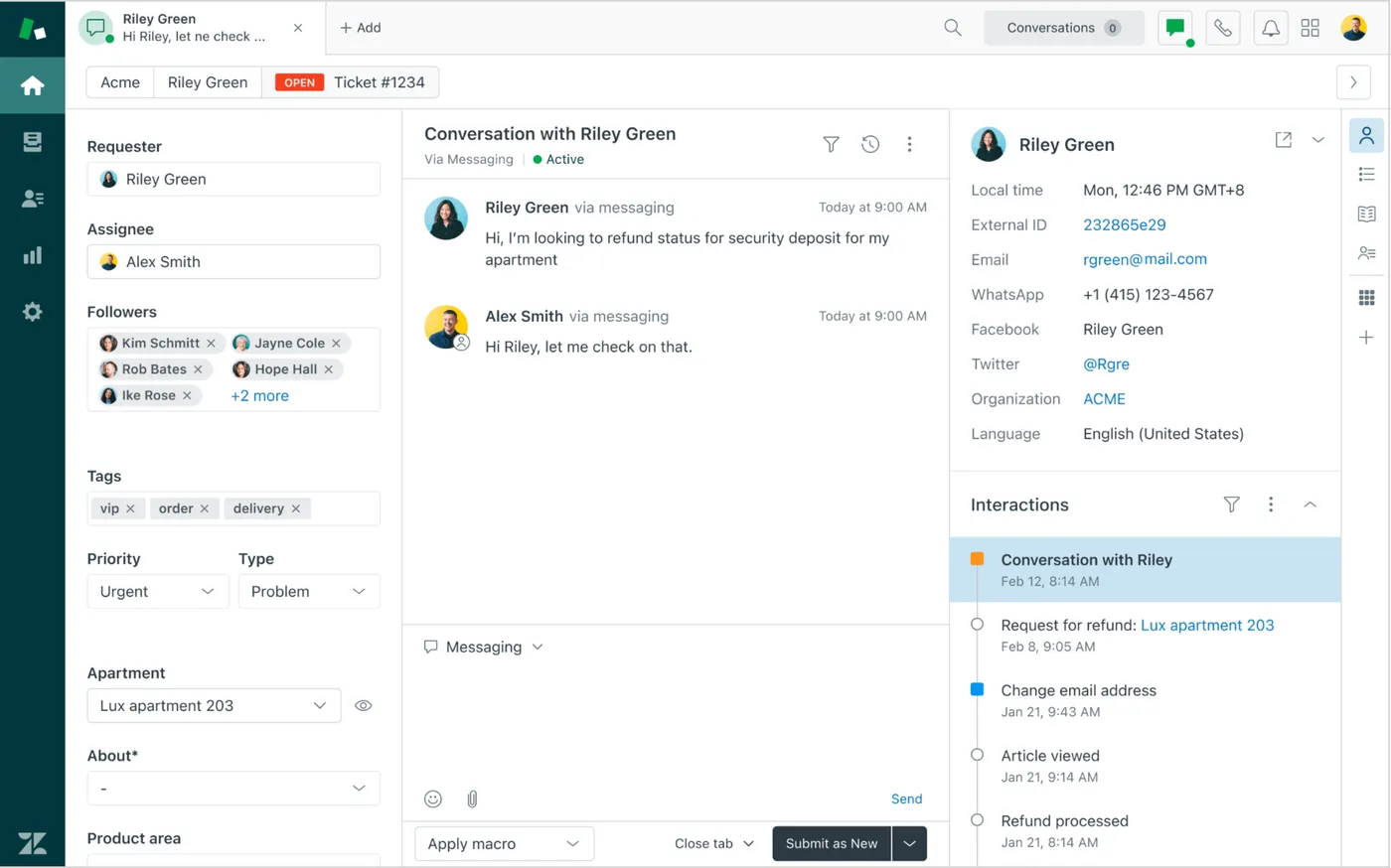
Zendesk prices by agent. On its pricing page in September, Support Team was $19 per agent a month, Suite Team $55, Suite Professional $115 and Suite Enterprise custom. Five people on Suite Team pay $275 a month, and ten pay $550.

On a small team, headcount is messy. The founder answers on weekends, a developer reads bug reports on Thursdays, a part-timer covers evenings. Each of them needs a seat to read a conversation, so the bill tracks the number of people who glance at the inbox rather than the volume of work.
AI adds a second meter. Zendesk bills its AI agents per automated resolution on top of the seat, and the Copilot add-on is $50 per agent a month. Give Copilot to all five people and that line alone is $250, nearly as much as the seats themselves.
Then there is setup. Triggers, views, macros, forms, roles and brands all want attention before Zendesk feels like your own tool. The product assumes someone owns that configuration, and at five people that someone is usually also running onboarding calls. For a direct comparison with our own product, our Zendesk alternative page covers it in less space.
Zendesk alternatives for small business, priced for a team of five
Each figure comes from the vendor's own pricing page, checked on 2026-09-06. The five-seat column uses whichever plan our check recorded for five people, so it is not a perfect like-for-like. Confirm that the tier has what you need before you compare totals.

| Tool | Billed by | Cheapest paid plan | Five seats | AI cost on top |
|---|---|---|---|---|
| Zendesk | Agent | Support Team $19/agent/mo | $275/mo (Suite Team) | AI agents per automated resolution; Copilot $50/agent/mo |
| Intercom | Seat | Essential $29/seat/mo | $425/mo (Advanced) | Fin from $0.99 per outcome; Copilot $29/agent/mo yearly |
| Freshdesk | Agent | Growth $19/agent/mo | $275/mo (Pro) | Freddy Copilot $29/agent/mo yearly; 500 trial AI sessions once, then $49 per 100 |
| Front | Seat | Starter $25/seat/mo | $325/mo (Professional) | Autopilot from $0.05 per conversation; Copilot $20/seat/mo |
| LiveChat | Agent | Starter $19/agent/mo yearly | $245/mo (Team) | Text Intelligence included; ChatBot separate, from $52/mo yearly |
| Help Scout | User | Standard $25/user/mo | $125/mo (Standard) | AI Inbox assistant included; AI Answers $0.75 per resolution |
| Hiver | User | Growth $25/user/mo yearly | $125/mo (Growth) | Harvey AI features vary by plan |
| Gorgias | Plan | Starter $10/mo | $60/mo (Basic) | AI Agent about $0.90 to $1.00 per resolved conversation |
| tawk.to | Add-ons | Live chat $0 | $58/mo+ (free plus add-ons) | AI Assist from $29/mo |
| Crisp | Plan | Mini $45/mo | $55/mo (Mini) | Credits included: $5 Mini, $25 Essentials, $75 Plus |
| Tidio | Plan | Starter $24.17/mo | $49/mo+ (Growth) | Lyro from $32.50/mo for 50 conversations |
| Sellio | Workspace | Mini $20/mo | $20/mo (Mini, 5 seats) | Credits included; usage past them costs extra |
Zendesk's own Support Team tier comes to $95 for five agents, which is easy to miss when every comparison quotes Suite. A team that only needs tickets and email might fix its cost problem with a downgrade and skip the migration entirely.
The plan-priced tools look cheap at five seats because they limit something else. Gorgias meters tickets, at about $0.36 to $0.40 for each one past the plan. Crisp, Tidio and tawk.to gate features and volume by tier. Read the limits page before the price page.
After a few months, the AI column can outweigh the seat column. Take a hypothetical team whose bot resolves 400 conversations a month. At Help Scout's $0.75 that is $300, at Intercom's $0.99 it is $396, and at Gorgias it lands between $360 and $400, every month, on top of the plan. Our AI resolution cost calculator runs the same sum with your own volume.
Team size moves the picture, too. At twelve people, Zendesk Suite Team is $660 a month, Help Scout Standard $300, Freshdesk Growth $228, and our Plus plan $295 (our Essentials plan stops at ten seats). So a flat price is not automatically the cheapest. Where it pays off is the step from five people to ten: our Mini to Essentials goes from $20 to $95, while Help Scout Standard goes from $125 to $250. The seat vs workspace pricing calculator will show you where the lines cross for your headcount.
Email-first teams: Help Scout and Hiver
If most of your conversations start in an inbox, these two are the gentlest landing.
Help Scout is the one we would shortlist first for a team that wants out of Zendesk's complexity and doesn't mind paying per user. It has a free plan, then Standard at $25 a user a month, Plus at $45 and Pro at $75. Five people on Standard pay $125, less than half of Zendesk Suite Team. The AI Inbox assistant is included, and AI Answers, its chatbot, is $0.75 per resolution, which is easy to budget once you know your volume. The catch is the same one you are leaving: every hire still adds $25 or more. We compared it head to head with its closest rival in Freshdesk vs Help Scout, and our Help Scout alternative page gives the reverse view.
Hiver works inside Gmail, so a team that already shares a support@ mailbox barely changes its habits. Growth is $25 a user a month on yearly billing and $35 monthly, Pro is $45 or $55, and Elite is $75 or $95. Watch that gap: five people on monthly Growth pay $175 rather than $125. In practice Hiver replaces the messy shared mailbox you had before Zendesk more than it replaces Zendesk, and if chat is a large share of your volume, test that part carefully. More on the Hiver comparison.
When website chat is the front door
Chat-led teams have the widest choice and the most confusing pricing, because every vendor meters something different.
Crisp and Tidio both start cheap and both charge for AI, in opposite ways. Crisp bundles AI credits into each paid plan: $5 on Mini ($45 a month), $25 on Essentials ($95) and $75 on Plus ($295). Tidio sells its Lyro AI as its own line, from $32.50 a month for 50 conversations, on top of Starter at $24.17 or Growth from $49.17. If you expect a busy bot, Crisp's bundle is easier to forecast. If you mostly want people on chat and a bot for after hours, Tidio's low entry plan is fine.
tawk.to is the cheapest way to get a human on chat, since the live chat itself is $0. Removing the branding is $29 a month, AI Assist starts at $29, and hired agents cost $1 an hour. You end up assembling a help desk from add-ons, which suits a one-person shop better than a team of eight.
LiveChat is polished but bills per agent, from $19 a month yearly, with five people on Team at $245. If seat pricing is why you are leaving Zendesk, it does not fix that.
The last option here is our own product, so weigh this paragraph accordingly. Sellio is a shared inbox with live chat, priced per workspace: Free with 2 seats and website chat, Mini at $20 with 5 seats and 3 channels, Essentials at $95 with 10 seats and 5 channels, and Plus at $295 with 50 seats and 25 channels. Website chat, email, Telegram, Slack and Discord land in one inbox, with tickets, automations and response time and CSAT reports on the same conversations. The AI agent answers from your website and documents on website chat only, hands off to a person when it is unsure, and can be capped; usage past the included credits costs extra. There is no phone channel. WhatsApp, Instagram, Messenger and SMS are coming soon, not available today, so don't count them in a decision you are making this month.
Freshdesk, Front and Gorgias fit narrower cases
Each of these three is good at one particular thing, and expensive or awkward when that thing isn't you.
Freshdesk, if you want Zendesk's model from another vendor
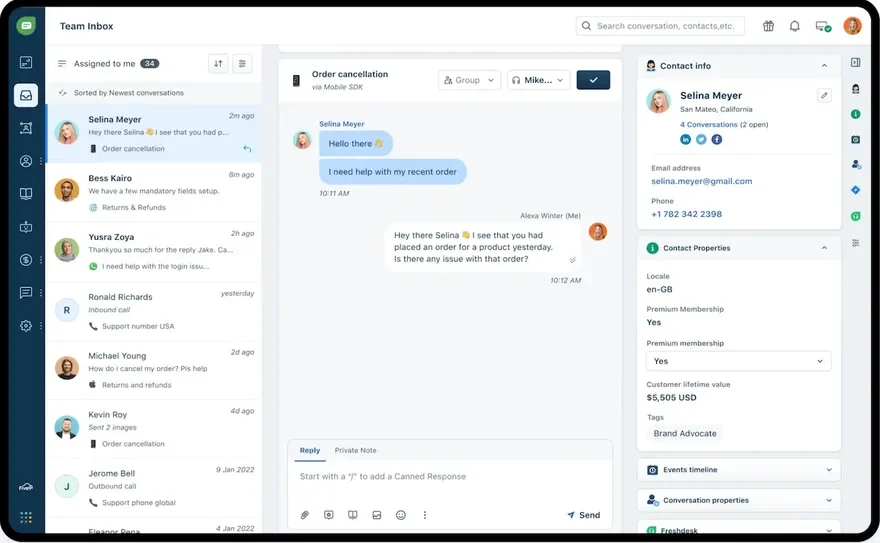
Freshdesk is the closest structural match: tickets, queues, automations and a long plan ladder (Growth $19 an agent, Pro $55, Enterprise $89). That familiarity makes the move easy to learn. It also means that five seats on Pro come to $275, exactly what Zendesk Suite Team costs. The real saving is at the bottom, on Growth. AI is extra again: Freddy Copilot is $29 an agent a month yearly, and the AI agent gets 500 trial sessions once per account, then $49 per 100. If weight was your complaint about Zendesk, Freshdesk carries much of the same weight. Our Freshdesk comparison goes further.
Front, if every message is a team discussion
Front treats each message as something the team works on together, with comments and assignment at the center. Starter is $25 a seat, Professional $65 and Enterprise $105, so five people on Professional pay $325. Of the per-seat tools here, only Intercom costs more at five seats ($425 on Advanced). Autopilot, its AI agent, starts at $0.05 per conversation, while Copilot and Smart QA are $20 a seat each (Smart QA is included on Enterprise). Pick it because that way of working suits your team; it will not lower your bill. See the Front comparison.
Gorgias, if your inbox is mostly orders
Gorgias is built for online stores, and its plans are priced by ticket volume rather than seats: Starter $10, Basic $60, Pro $360 and Advanced $900. Five people fit on Basic at $60, which is a bargain until volume grows, because the next step is six times the price. The AI Agent adds about $0.90 to $1.00 per resolved conversation. For a SaaS or service business, a generalist will probably serve you as well for less. The Gorgias comparison has the longer view.
What you give up by leaving Zendesk
Every tool above does less than Zendesk somewhere. These are the gaps small teams tend to notice after the move.

Phone support
Zendesk has a voice channel. Most of the lighter tools don't, and ours has no voice channel for customers at all. Intercom offers phone on a pay-as-you-go basis, according to its pricing page, if you want chat and calls from one vendor and can accept its price.
A quick test: count how many conversations last quarter began with a phone call. A handful can move to a callback request in chat. If calls are a fifth of your volume, keep a tool that handles them.
Compliance paperwork
HIPAA, data residency and a 200-question security review from a customer's procurement team are easier with a large vendor that already publishes the documents. We are not suited to HIPAA or data residency requirements, and other small-team tools may have similar limits. Send each vendor on your shortlist your requirement in one sentence and ask for a written answer. It takes a day and can save you a migration.
The marketplace, and everything you built on it
Zendesk's app marketplace is very large. With a smaller tool you will more often connect things through an API or a webhook instead of a ready-made app. On our side, Slack, Telegram, Discord, Notion, email and website chat are live, along with a REST API, a JavaScript widget API and an MCP server. HubSpot, Stripe, Linear, Jira, Calendly and Google Drive are coming soon. Check the integrations page, or any vendor's equivalent, against the three tools your team opens every day.
The loss teams forget is their own configuration. Years of triggers, macros, SLAs and views don't import anywhere. Rebuilding the ones you actually use takes hours, and it is worth counting them before you count the savings.
Who should stay on Zendesk
Leaving isn't always right. Stay, or at least slow down, if one of these describes you:
- Calls are a real channel for you, and losing voice would cost more than the seats save.
- A customer contract names HIPAA, data residency or specific security certifications.
- You have built months of triggers, forms, SLAs and app integrations, and nobody wants to rebuild them.
- You expect to pass 30 agents with specialised queues within a year, which would mean migrating twice.
- One marketplace app sits at the center of your process and no alternative has an equivalent.
There is a middle path if cost is the only complaint. Plenty of teams sit on Suite because it was the default when they signed up. Support Team at $19 an agent is a much smaller bill than Suite Team at $55, so check what you would actually lose by stepping down before you shop around.
Moving off Zendesk without losing your history
Ticket history is what makes most teams nervous, and it is manageable if you give the move about two weeks instead of a weekend. The support tool migration checklist covers the same ground in more detail.
- List the Zendesk features your team touches every week and mark each one as needed or unused. A fair share of most configurations turns out to be dead.
- Decide how much history needs to be searchable in the new tool. Six to twelve months covers most returning customers; the rest can live in an archive.
- Export tickets, contacts and help center articles with whatever your plan allows, and check whether attachments come along. Export again just before cutover.
- Ask the new vendor exactly what its importer handles. If there is no importer, import contacts only and keep the Zendesk export as a read-only archive.
- Rebuild your ten most used saved replies, your tags and the few automations that matter. Add anything else only once someone misses it.
- Run both tools for a week or two. Move website chat first, keep email on Zendesk until the team is comfortable, then switch your support address forwarding and swap the widget script.
- Keep Zendesk on its cheapest tier for about 90 days so people can look up old tickets, then cancel once you have confirmed the exports are complete.
FAQ
What is the cheapest Zendesk alternative for a small team?
For one or two people, several tools cost nothing: Help Scout, Hiver, Crisp and Tidio have free plans, tawk.to's live chat is $0, and our Free plan covers 2 seats on website chat. At five people, the list prices we checked ran from $20 a month on a workspace plan to $425 on Intercom Advanced, against $275 for Zendesk Suite Team. The cheapest plan on paper often caps tickets, contacts or channels, so check the limits as well as the price.
Is Freshdesk cheaper than Zendesk?
Only at the bottom. Freshdesk Growth and Zendesk Support Team both start at $19 an agent. Five seats on Freshdesk Pro cost $275 a month, the same as Zendesk Suite Team, and both charge for AI on top.
Do I need a help desk or just a shared inbox?
If your team answers conversations and needs to see who has what, a shared inbox is enough. You need a full help desk when you want formal statuses, SLAs, several queues or reporting by category. Many tools now do both, so you can start simple. Our pages on the team inbox and the ticketing system explain the difference.
Will I lose my Zendesk tickets if I switch?
Not if you export before you cancel. Export tickets, contacts and articles, ask the new vendor what it can import, and keep Zendesk on a low tier for about a quarter as a read-only archive.
Can an AI agent replace my support team?
No. A good AI agent answers repeat questions from your own content and hands the rest to a person, which cuts the simple volume. It won't make judgement calls on refunds or calm an angry customer. Whichever tool you pick, find out how AI is billed and whether you can cap it.