

The best shared inbox software for a small team depends on one question: is your support mostly email, or a mix of email, chat and messaging? If it is mostly email, Help Scout, Front and Hiver are the strongest picks. If it is a mix and you want the bill to stay flat as you hire, look at Sellio or Crisp. Freshdesk, Zendesk and Gorgias fit when you need a full ticketing system, a phone line or deep Shopify data.
Below are eight tools compared for teams of 3 to 15 people, with what five seats cost per month at list price. Sellio is our product. It is on the list because it fits one situation well, and we say plainly who should skip it.
The best shared inbox software at a glance
| Tool | Best for | Starting paid price | Five seats, per month |
|---|---|---|---|
| Sellio | Chat, email and messaging in one inbox, flat price | $20 per workspace | $20 (Mini) |
| Help Scout | Email-first teams that want it simple | $25 per user | $125 (Standard) |
| Front | Email-heavy teams with complex routing | $25 per seat | $125 (Starter), $325 (Professional) |
| Hiver | Teams that want to stay inside Gmail or Outlook | $25 per user, yearly | $125 yearly, $175 monthly (Growth) |
| Crisp | Chat-first teams on a budget | $45 per workspace | $55 (Mini) |
| Freshdesk | Ticket-heavy teams that want structure | $19 per agent | $95 (Growth), $275 (Pro) |
| Zendesk | Teams that need phone support and a big app ecosystem | $19 per agent | $95 (Support Team), $275 (Suite Team) |
| Gorgias | Shopify stores | $10 per month | $60 (Basic, priced by tickets) |
Prices are each vendor's published list prices as we checked them on 6 September 2026. They move often, so confirm on the vendor's page before you buy.
What a shared inbox must do for a small team
A shared inbox replaces the support@ mailbox that three people read and nobody owns. At five people, the problems are always the same: two people answer the same customer, a message sits unread because everyone assumed someone else had it, and nobody can see what was promised last week.
Any tool on your shortlist should give you:
- Assignment, so every conversation has one owner and an unowned queue is visible.
- Collision warnings, so you see when a teammate is already replying.
- Internal notes and mentions, so you can ask a colleague without forwarding the thread.
- One history per customer, ideally across email and chat, so the second reply knows about the first.
- Saved replies for the twenty questions you answer every week.
- Basic reporting: first response time, resolution time and how much came in.
Every tool below covers most of that. The real differences are channels, how the price grows when you add people, and what AI costs on top.
How we compared the tools
We looked at each tool from the seat of a support lead with a team of about five who handles email plus some live chat. For each one we asked four things.

- Which channels arrive in the same inbox without extra products?
- What does the team pay at five seats, and what happens at ten?
- What does AI cost, and is it billed per seat, per resolution or from credits?
- How much setup does it need before the team can work in it?
Prices come only from each vendor's own pricing page, checked on 6 September 2026. We did not count discounts, promotions or sales-negotiated deals.
1. Sellio: one inbox for chat, email and messaging at a flat price
Sellio is a shared inbox and live chat platform built for support teams of about 2 to 20 people. Website chat, email, Telegram, Slack and Discord can all be connected today, and the team works them from one place. WhatsApp, Instagram, Facebook Messenger and SMS are coming soon, not available yet.
The main difference is pricing. Plans are per workspace, never per seat: Free is $0 for 2 seats and website chat, Mini is $20 a month for 5 seats and 3 channels, Essentials is $95 for 10 seats and 5 channels, and Plus is $295 for 50 seats and 25 channels. Hiring your sixth person does not change the bill until you outgrow the plan's seats.
It also includes tickets, automations and support analytics (response time, resolution and CSAT) on the same conversations, and an AI agent for website chat that answers from your own site and documents and hands off to a person when it is unsure. AI use past the included credits costs extra, and you can cap it.
Pros
- Flat workspace pricing, so five or ten people cost the same within a plan.
- Chat, email and messaging channels in one team inbox.
- Native Mac desktop app (Windows coming soon).
Cons
- No phone or voice channel.
- The AI agent answers on website chat only. Email and Telegram messages go to a person.
- No HIPAA or data residency options for enterprise procurement.
Verdict: a strong pick if your support is split between chat and email and per-seat pricing is what hurts. Skip it if you need phone support or an AI agent replying to email. See the shared inbox page or the plans.
2. Help Scout: best for email-first teams that want it simple
Help Scout feels like a calm, well-designed email client for a team. You get shared mailboxes, assignment, private notes, saved replies and collision detection, plus Beacon, a widget that puts chat and help articles on your site, and Docs for a knowledge base.
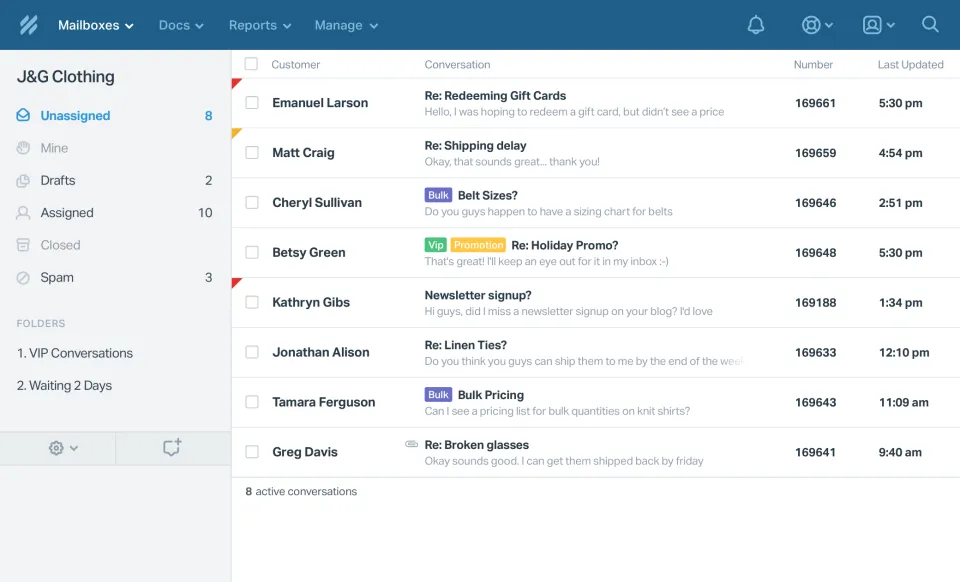
Pricing on 6 September 2026: a Free plan, then Standard at $25 per user per month, Plus at $45 and Pro at $75. The AI inbox assistant is included. AI Answers, the customer-facing chatbot, is $0.75 per resolution. Five people on Standard come to $125 a month. Check the Help Scout pricing page for current limits on the Free plan.
Pros
- Light setup compared with a full help desk.
- Good knowledge base built in.
- AI chatbot billed per resolution, so you pay nothing if it resolves nothing.
Cons
- Per-user pricing grows with every hire.
- Chat is lighter than in chat-first tools.
Verdict: the safe choice when email is 80% of your volume. Our Freshdesk vs Help Scout comparison goes deeper for a five-person team, and the Help Scout alternative page covers when people move off it.
3. Front: best for email-heavy teams with complex routing
Front puts shared and personal inboxes side by side and adds rules, assignment, comments on any thread and SLA tracking. It is popular with teams where support, sales and account management all touch the same customers, because a conversation can be passed between them without forwarding.
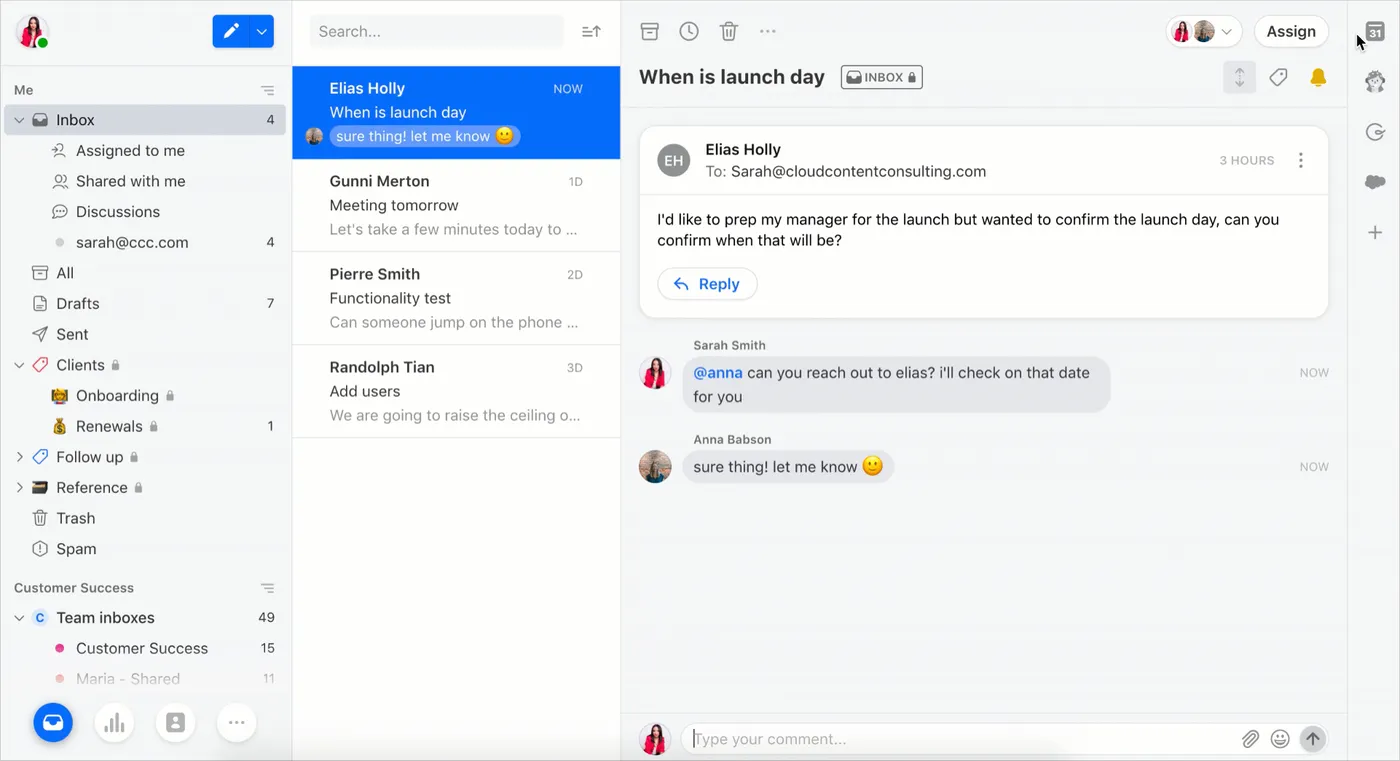
On 6 September 2026 Front listed Starter at $25 per seat per month, Professional at $65 and Enterprise at $105. Five people cost $125 on Starter or $325 on Professional. AI is extra: the Autopilot AI agent starts at $0.05 per conversation, and Copilot and Smart QA are $20 per seat each (Smart QA is included on Enterprise). Details are on Front's pricing page.
Pros
- The most powerful routing and rules of the email-first tools.
- Works well when several departments share customers.
Cons
- Most of the useful features sit on Professional, at $65 a seat.
- Copilot and QA add-ons are billed per seat on top.
Verdict: worth it when routing is your real problem. For a five-person team answering simple questions it is more tool, and more bill, than you need. Our Front alternative page compares the cost.
4. Hiver: best for teams that want to stay in Gmail or Outlook
Hiver adds a shared inbox layer to Gmail and Outlook, so the team keeps working in the email client it already knows. You get assignment, statuses, private notes, collision alerts and reporting without a separate app to learn.
Its pricing page listed a Free plan, Growth at $25 per user per month billed yearly ($35 monthly), Pro at $45 ($55 monthly) and Elite at $75 ($95 monthly) on 6 September 2026. Five people on Growth cost $125 a month on a yearly plan or $175 month to month. Its Harvey AI features vary by plan. Confirm seat minimums on Hiver's pricing page before you count on a small number.
Pros
- Almost no change for the team: it lives in the inbox they already use.
- Fast to roll out.
Cons
- Built around email. Chat and messaging are not its strength.
- Month-to-month billing costs about 40% more than yearly on Growth.
Verdict: the lowest-friction upgrade from a plain Gmail or Outlook group inbox. See the Hiver alternative page if chat matters to you.
5. Crisp: best for chat-first teams on a budget
Crisp started as live chat and grew into a shared inbox with email and messaging channels. It prices per workspace rather than per seat, which keeps small-team costs low.
Crisp's plans are Free, Mini at $45 a month, Essentials at $95 and Plus at $295, as listed in September 2026. Five seats on Mini came to $55 a month in our check. Each paid plan includes AI credits: $5 on Mini, $25 on Essentials and $75 on Plus.
Pros
- Workspace pricing that stays flat for small teams.
- Strong live chat widget.
Cons
- Email-heavy teams may find the email side lighter than Help Scout or Front.
- AI credits on the entry plan are small, so heavy AI use means a higher plan.
Verdict: a good fit when chat is the main channel. The Crisp alternative page has a side-by-side comparison.
6. Freshdesk: best for ticket-heavy teams that want structure
Freshdesk is a full help desk. Emails become tickets with statuses, priorities, SLAs and automations, and it comes with a customer portal and knowledge base. It suits teams that think in tickets more than conversations.
Freshdesk charges per agent: Growth is $19 a month, Pro is $55 and Enterprise is $89 (prices checked 6 September 2026). Five agents cost $95 on Growth or $275 on Pro. Freddy AI Copilot is $29 per agent per month on a yearly plan. The AI agent comes with 500 trial sessions once per account, then $49 per 100 sessions.
Pros
- Mature ticketing, SLAs and automations.
- Low entry price per agent.
Cons
- Busier interface than a pure shared inbox, with more setup.
- Copilot and AI sessions add up on top of seats.
Verdict: pick it if you want a structured help desk and expect to grow into SLAs. See the Freshdesk alternative page for the per-seat math.
7. Zendesk: best when you need phone support and a large ecosystem
Zendesk is the default enterprise help desk, and its Suite covers email, chat, messaging, a help center and voice. Its marketplace has an app for almost anything, which matters once your stack grows.
Zendesk's cheapest plan, Support Team, is $19 per agent per month. Suite Team is $55, Suite Professional $115, and Enterprise is priced by quote. Five agents on Suite Team cost $275 a month. AI agents are billed per automated resolution on top of the seat price, and the Copilot add-on is $50 per agent per month.
Pros
- Covers phone support, which most tools here do not.
- Huge integration marketplace.
Cons
- Expect real setup work before it fits a small team.
- Seats plus AI resolutions plus Copilot make the bill hard to predict.
Verdict: right when you need voice or expect to scale past 20 agents. For a five-person team it is usually more than you need. Our Zendesk alternative page has the numbers.
8. Gorgias: best for Shopify stores
Gorgias is a help desk built for online stores. Its main draw is order data next to each conversation, so an agent can see what the customer bought while replying.
It prices by ticket volume, not seats: Starter is $10 a month, Basic $60, Pro $360 and Advanced $900. Extra tickets cost about $0.36 to $0.40 each, and the AI Agent about $0.90 to $1.00 per resolved conversation on top of the plan.
Pros
- Deep store data inside the inbox.
- Seat count does not drive the price.
Cons
- Busy seasons push you into overage or a higher plan.
- Little reason to choose it if you do not run a store.
Verdict: the obvious shortlist entry for a Shopify brand. Everyone else can skip it.
Pricing for five users compared
Per-seat prices are quoted per person, so the invoice is that number times your headcount. Here is the monthly list price for five people, and for ten, on the plan most small teams actually choose. The ten-seat column assumes nothing else changes.
| Tool | Pricing model | Five people | Ten people |
|---|---|---|---|
| Sellio | Per workspace | $20 (Mini) | $95 (Essentials) |
| Crisp | Per workspace | $55 (Mini) | Check the plan's seat limit |
| Gorgias | Per ticket volume | $60 (Basic) | Depends on tickets, not people |
| Freshdesk | Per agent | $95 (Growth) | $190 (Growth) |
| Zendesk | Per agent | $275 (Suite Team) | $550 (Suite Team) |
| Help Scout | Per user | $125 (Standard) | $250 (Standard) |
| Hiver | Per user | $125 yearly (Growth) | $250 yearly (Growth) |
| Front | Per seat | $325 (Professional) | $650 (Professional) |
None of these include AI. If you plan to use an AI chatbot or copilot, add it separately: per resolution at Help Scout, Zendesk and Gorgias, per seat for most copilots, and from included credits on the workspace-priced plans. Our free seat vs workspace pricing calculator runs the numbers for your own headcount.
How to choose: email-first, multi-channel or budget
Start from where your messages come from, then let price break the tie.
- Mostly email, and you want a separate app: Help Scout. Move to Front if routing between teams is the real problem.
- Mostly email, and the team refuses to leave Gmail or Outlook: Hiver.
- Website chat plus email plus messaging: Sellio or Crisp, both priced per workspace.
- Structured tickets with SLAs: Freshdesk.
- Phone support, or a plan to grow past 20 agents: Zendesk.
- A Shopify store: Gorgias.
A hypothetical example: a six-person team gets 60% of its messages through website chat and the rest by email. A Gmail add-on would leave chat in a second tool, and a per-seat help desk would charge for all six seats. A multi-channel inbox with workspace pricing fits that team better. A team where email is 90% of the volume should ignore chat-first tools entirely.
Whatever you pick, trial the top two with real messages for a week. Have two people answer at the same time and see whether the tool stops them from colliding. If you are still undecided, the comparison hub lines up more tools.
FAQ
What is the best shared inbox software for a small team?
For email-first teams, Help Scout is the easiest to adopt. For teams that handle chat and messaging as well as email, a multi-channel inbox priced per workspace keeps the bill flat as you hire. Sellio and Crisp both work that way.
Is there free shared inbox software?
Yes. Help Scout, Hiver, Crisp and Sellio all list a free plan. Free plans cap seats, channels or features, so check that limit against your team size before you rely on one.
What is the difference between a shared inbox and a shared mailbox?
A shared mailbox, like a Google Group or an Outlook shared mailbox, lets several people read one address. A shared inbox adds ownership: assignment, collision warnings, internal notes and reporting, so two people never answer the same email.
How much does shared inbox software cost for five people?
At list prices checked in September 2026, from $20 a month on workspace pricing to $325 a month for Front Professional. Most per-seat tools land between $95 and $275 for five people before AI add-ons.
Can a shared inbox handle live chat as well as email?
Some can. Sellio, Crisp, Front, Zendesk and Freshdesk bring chat into the same place. Hiver is focused on email, and Help Scout adds chat through its Beacon widget.