

The best live chat for Shopify depends mostly on two things: how many of your chats are about specific orders, and how your bill grows when you add people. If your agents spend the day editing orders and issuing refunds, Gorgias is worth what it costs. For chat plus a chatbot on a tight budget, look at Tidio. A team of two to ten that wants one inbox at a flat monthly price should compare Sellio and Crisp. A solo owner can start with Shopify Inbox for free.
Below are seven options for a store with two to five people answering chats. Each is judged on install effort, how it copes with "where is my order?", and what it costs at your size. Prices are each vendor's published rate, checked on September 6, 2026, and linked so you can confirm them.
The 7 options at a glance
| Tool | Best for | How it installs | Starts at | About 5 agents |
|---|---|---|---|---|
| Gorgias | Stores whose chats are mostly about orders | Shopify App Store | $10/mo (Starter) | $60/mo (Basic), billed by ticket volume |
| Tidio | Chat plus chatbot flows on a small budget | Shopify App Store | Free; paid from $24.17/mo | $49/mo and up (Growth) |
| Sellio | Small teams that want one inbox and flat pricing | One script tag in theme.liquid | Free (2 seats) | $20/mo (Mini, 5 seats) |
| Crisp | A multichannel inbox priced per workspace | Shopify integration | Free (2 seats) | $55/mo (Mini plus one seat) |
| Shopify Inbox | Solo owners getting started | Free app from Shopify | Free | Free |
| LiveChat | Sales-led chat with cart visibility | Shopify App Store | $19/agent/mo yearly | $245/mo (Team, yearly) |
| tawk.to | A zero budget with many agents | Embed code | Free | $58/mo and up with add-ons |
What a Shopify store needs from live chat
Most store chats fall into four buckets: order status, returns and exchanges, questions before buying (sizing, stock, delivery time), and discount codes that did not work. A good setup handles the first two quickly and turns the third into sales.

So before comparing feature lists, check a tool against these needs:
- Order context for the agent. Either the order shows beside the chat, or the agent can find it in Shopify admin in one step. A shopper who has to repeat their order number three times leaves annoyed.
- Answers to repeat questions without a person. Shipping times and the returns window get asked dozens of times a week. A saved reply, a help article or an AI agent trained on your policy pages should cover them.
- Somewhere for after-hours questions to go. A chat that disappears when you log off loses the customer. An offline form or email capture keeps it.
- Notifications that reach you. A phone app or desktop app matters more for a two-person team than any dashboard feature.
- A price that fits how you grow. Some tools charge per agent, some per ticket, some per conversation, and some per workspace. That one choice decides your bill more than any feature does.
App store apps vs script-tag widgets
There are two ways to put chat on a Shopify store. You can install an app from the Shopify App Store, or you can paste a script tag into your theme. Both put a chat bubble on your storefront. They differ in what they can see and how much you have to maintain.
An App Store app installs in a click and asks for permissions on your store data. That is how Gorgias and Shopify Inbox read orders, and why they can show a shopper's last purchase next to the chat. The cost is another app with access to your customer data, and another thing to update.
A script-tag widget is one line of code pasted into theme.liquid just above the closing </body> tag. It works on every Shopify plan and every theme, needs no app approval, and sees nothing in your admin unless the vendor builds a separate store connection. Two practical catches: the snippet lives in your theme, so you re-paste it when you switch themes or install a new theme version, and it does not run on Shopify's checkout pages.
For most small stores either route is fine. Choose the app route when you want order data inside the chat today. Choose the script route when you want the same widget on your store and on other sites, or you would rather not grant another app access to your store.
1. Gorgias: best for stores whose chats are mostly about orders
Gorgias is a help desk built for ecommerce, with live chat as one of its channels. Its pull is the Shopify connection: agents see a customer's orders next to the ticket and can act on them without switching to Shopify admin.
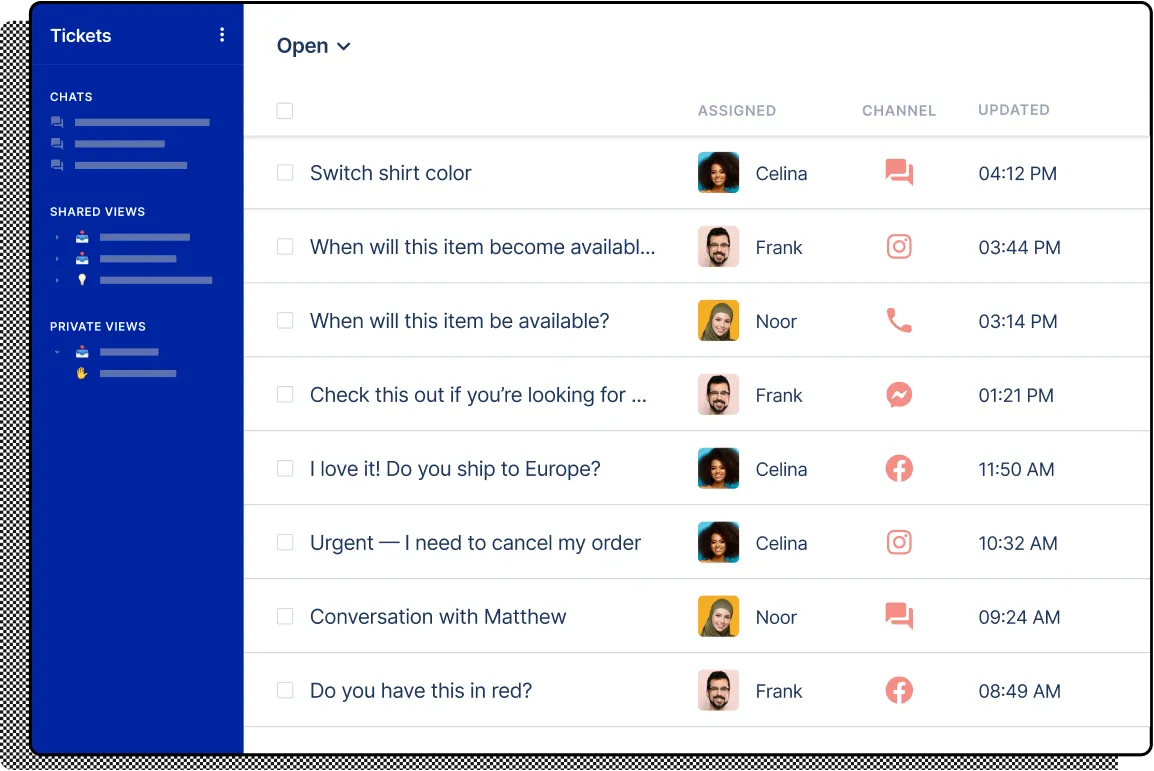
Pricing is based on tickets, not seats. Starter is $10 a month, Basic $60, Pro $360 and Advanced $900. Gorgias's pricing page lists 50 tickets a month on Starter, 300 on Basic and 2,000 on Pro. Extra tickets cost about $0.36 to $0.40 each, and the AI Agent is billed at about $0.90 to $1.00 per resolved conversation on top of the plan.
A hypothetical store on Basic that gets 600 tickets in a busy month pays $60 plus 300 extra tickets at $0.40, so about $180. On Gorgias it is ticket volume that drives the bill, and adding a teammate barely moves it.
- Pro: the deepest order handling of any tool here.
- Pro: built around ecommerce, so its macros, rules and reports are built around orders and refunds.
- Con: the bill rises with every sale, delayed shipment or holiday rush.
- Con: AI resolutions are paid per conversation, which adds up on a busy store.
Verdict: worth it once order lookups take a real share of your day. For a store with a few chats a day it is more tool, and more variable cost, than you need.
2. Tidio: best for chat and chatbot flows on a small budget
Tidio combines live chat, a visual chatbot builder (Flows) and an AI agent called Lyro. The free plan is usable and setup is quick, which makes it an easy first install.
According to Tidio's pricing page, the free plan covers 50 billable conversations a month, and only conversations a person replies to count. Starter is $24.17 a month for 100 of them, Growth starts at $49.17 for 250, and Plus starts at $300 plus usage. Lyro is sold separately from $32.50 a month for 50 AI conversations.
- Pro: a real free plan and a low first paid tier.
- Pro: Flows can greet visitors, offer a discount or collect an email without writing code.
- Con: the conversation caps mean a busy month can push you up a tier.
- Con: the AI agent is a separate purchase, so the advertised price is rarely what you pay with AI switched on.
Verdict: a good first paid tool for a store with modest volume that wants automation at the front of the chat. Watch the conversation count each month before it chooses your plan for you.
3. Sellio: best for a small team that wants one inbox at a flat price
Sellio is a shared inbox and live chat platform for support teams of about two to twenty people. On Shopify it installs as one script tag in theme.liquid, and the widget can be themed to match your store. The Shopify install guide shows the three steps.
Its AI agent answers on your website chat from your own pages and documents, so your shipping and returns policies become its source. When it is unsure it hands the conversation to a person, and you can cap its usage so spend stays predictable. Email, Telegram and the other connected channels land in the same team inbox for your people to work, with tickets, automations and response-time reports over the same conversations. WhatsApp and Instagram are coming soon.
Pricing is per workspace, never per seat: Free is $0 for 2 seats with website chat, Mini is $20 a month for 5 seats and 3 channels, and Essentials is $95 a month for 10 seats and 5 channels. AI use beyond the included credits costs extra. Full details are on the pricing page.
- Pro: five seats for $20 a month, and adding a teammate does not change the bill.
- Pro: the AI agent learns from your existing policy pages and has a spending cap.
- Con: no Shopify App Store app. You paste the snippet yourself.
- Con: order data in the inbox is not live yet. The Shopify orders integration is coming soon, so today agents check orders in Shopify admin.
Who it is not for: stores that want agents editing orders and issuing refunds from the chat window, and stores that need phone support, SMS or Facebook Messenger.
4. Crisp: best for a multichannel inbox priced per workspace
Crisp is a shared inbox with live chat, email and social channels, plus AI features funded by included credits. Like Sellio it prices per workspace rather than per agent, which suits teams that expect to grow.
Free is $0 for 2 seats. Mini is $45 a month, Essentials $95 and Plus $295. Crisp's pricing page lists 4 seats on Mini and $10 for each extra seat, so five people on Mini come to $55. AI credits are included: $5 on Mini, $25 on Essentials and $75 on Plus. The same page lists a Shopify integration for customer and store data.
- Pro: predictable pricing that does not multiply by headcount until you pass the seat allowance.
- Pro: a mature product with many channels in one inbox.
- Con: the $5 of AI credits on Mini does not go far on a busy store.
- Con: the free plan is narrow, so most stores will pay from the start.
Verdict: a safe choice for a growing team. Compare it with the plan above at five seats, since the gap at the Mini tier is the biggest difference between them.
5. Shopify Inbox: best for solo owners getting started
Shopify Inbox is Shopify's own chat app and it is free. It now includes an optional AI sales associate that learns from your catalog, policies and store content, and it works inside Shopify admin, so there is no new tool to learn.
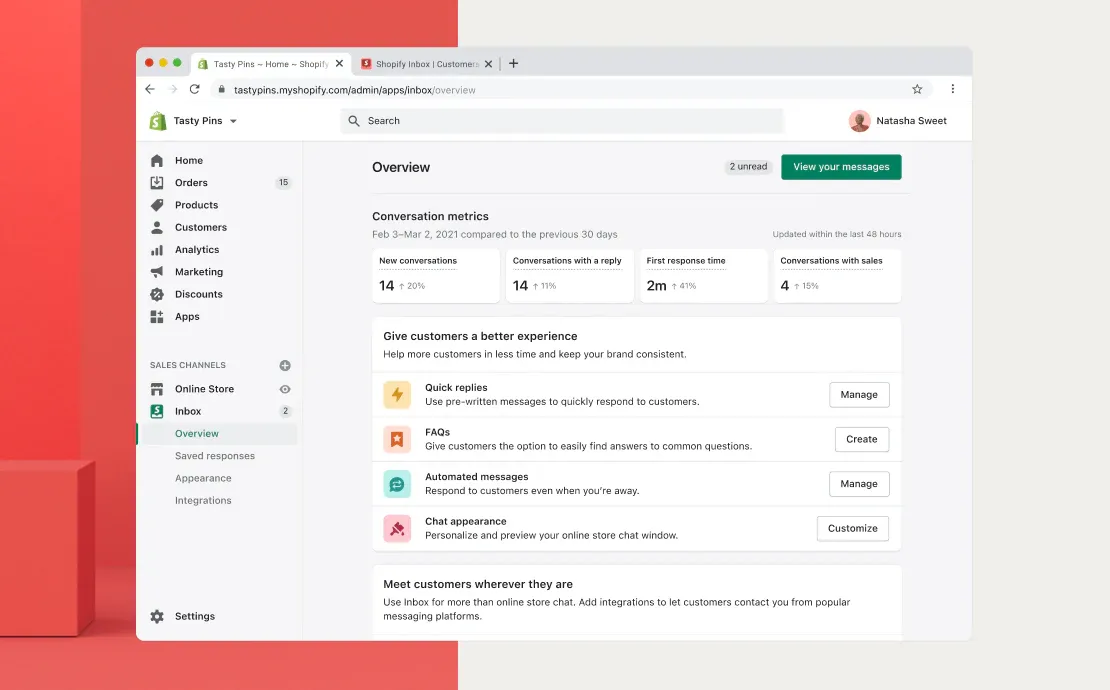
- Pro: free, built by Shopify, and connected to your products and inventory out of the box.
- Pro: nothing to install in your theme.
- Con: there is no ticketing system, and it is not built to be a team's main help desk.
- Con: one reviewer on the app listing reports that the AI made repeated mistakes and turned it off. Test it on your own questions before relying on it.
Verdict: the right first step for an owner answering chats alone. Move on when a second person joins and you need assignment, notes and a shared history.
6. LiveChat: best for sales-led chat
LiveChat is a long-standing chat tool with strong sales features: proactive greetings, product cards and, through its Shopify app, a view of what is in a shopper's cart while they browse.
It is priced per agent. Starter is $19 per agent a month billed yearly ($25 monthly), Team $49 ($59 monthly) and Business $79 ($89 monthly). Five agents on Team cost $245 a month on a yearly plan. Text Intelligence (suggested replies and summaries) is included, while the ChatBot product is separate, from $52 a month yearly.
- Pro: polished agent experience and strong pre-sale tools.
- Pro: cart visibility helps agents close a sale in the chat.
- Con: per-agent pricing means every hire raises the bill.
- Con: the chatbot is a second product with its own price.
Verdict: a fit if chat is mainly a sales channel and your agent count is stable. For a support-first team it is one of the pricier options here.
7. tawk.to: best when the budget is zero
tawk.to gives you live chat for free with as many agents as you like. You pay only for extras: removing the tawk.to branding is $29 a month, AI Assist starts at $29 a month, and you can hire chat agents from tawk.to at $1 an hour. The details are on tawk.to's pricing page.
- Pro: no seat limit and no monthly fee for the core chat.
- Pro: an option to staff chat with hired agents outside your hours.
- Con: the free widget carries tawk.to branding.
- Con: little Shopify order context, so agents switch to admin for every order question.
Verdict: fine for testing whether chat helps your store at all. Teams tend to outgrow it once they want automation or a cleaner widget.
Pricing by team size
The billing model matters more than the sticker price. Here is roughly what each tool costs a store at two and at five agents, using the prices above.
| Tool | Billed by | 2 agents | 5 agents | What raises the bill |
|---|---|---|---|---|
| Gorgias | Tickets | $10/mo (50 tickets) | $60/mo (300 tickets) | Ticket volume, AI resolutions |
| Tidio | Conversations | Free (50 conversations) | $49.17/mo and up | Human-handled conversations, Lyro |
| Sellio | Workspace | Free (website chat) | $20/mo | More than 5 seats or 3 channels, AI past included credits |
| Crisp | Workspace plus seats | Free | $55/mo | Extra seats, AI credits |
| Shopify Inbox | Free | Free | Free | Nothing |
| LiveChat | Agents | $98/mo (Team, yearly) | $245/mo (Team, yearly) | Every new agent |
| tawk.to | Add-ons | Free | Free, or $58/mo with both add-ons | Branding removal, AI Assist |
If you are weighing per-seat against flat pricing for your own numbers, the seat vs workspace pricing calculator runs the math for a team of any size.
Handling order status and returns questions
Whatever tool you pick, "where is my order?" will be the most common chat. A few habits cut the time each one takes:
- Ask for the order number and email up front, in the welcome message or a pre-chat form, so the agent can look it up before replying.
- Save a reply that links to the shopper's order status page and explains your usual delivery times.
- Write your returns answer once, based on your returns policy page, and keep the policy page itself current. AI agents and saved replies both depend on it.
- Tag each chat (order status, return, pre-sale, discount) and look at the counts after a week. The biggest tag tells you what to automate first.
- When an agent looks something up in Shopify admin, leave a private note in the chat so the next person does not look it up again.
The free canned responses examples include order and returns replies you can adapt, and the ecommerce live chat page covers chat for stores beyond Shopify.
How to choose the best live chat for Shopify
Match the tool to how your store actually gets chats:
- You answer chats alone and get a handful a day: Shopify Inbox, or tawk.to if you want more control over the widget.
- Most chats need an agent to change an order or issue a refund: Gorgias, and budget for ticket overages in busy months.
- You want a chatbot to greet visitors and capture emails, and your volume is modest: Tidio.
- Two to ten people share the work and you want the price to stay put as you hire: Sellio or Crisp. Sellio is cheaper at five seats; Crisp has a live Shopify data integration today.
- Chat is mostly about selling and your agent count is stable: LiveChat.
Whichever you shortlist, run a one-week trial on real traffic before committing. For a script-based widget, the Shopify and WordPress install helper walks through the theme edit step by step. For a deeper look at two help desks priced per seat, see Freshdesk vs Help Scout for a 5-person team.
Setup checklist for your first week
- Day 1: install the widget, open your store on a phone and send yourself a test chat.
- Day 1: set your hours and an offline message that promises a reply time you can keep.
- Day 2: write saved replies for your five most common questions: order status, delivery times, returns, sizing and discount codes.
- Day 3: if your tool has an AI agent, point it at your shipping and returns pages and ask it twenty real questions before switching it on.
- Day 3: turn on notifications on every device the team uses.
- Day 5: review the tags and the slowest replies of the week.
- Day 7: check first response time and decide whether chat should stay open all day or only during staffed hours.
FAQ
Does Shopify have built-in live chat?
Yes. Shopify Inbox is a free chat app made by Shopify. It handles storefront chat well but has no ticketing system, so teams that grow past one or two people usually add or switch to a help desk.
Can I add live chat to Shopify without an app?
Yes. Most chat tools give you a script tag. In Shopify admin, open Online Store, then Themes, then Edit code, open theme.liquid and paste the snippet just above </body>. Remember to add it again if you change themes.
Which Shopify live chat is free?
Shopify Inbox and tawk.to are free with no conversation cap. Tidio's free plan covers 50 human-handled conversations a month, and Crisp and Sellio both have free plans with 2 seats.
Is per-agent or per-ticket pricing cheaper for a small store?
Per-ticket pricing is cheaper when volume is low and several people help out. Per-agent pricing is cheaper when a couple of agents handle a lot of chats. Per-workspace pricing stays flat on both counts until you pass the plan's seat limit.
Can a chatbot answer "where is my order?" on its own?
Only if it can read your order data, as Shopify Inbox and Gorgias can. An AI agent that learns from your site's pages can explain delivery times and link to the order status page, but it cannot see a specific order.
Will a chat widget slow down my store?
A well-built widget loads after your page and barely changes load time. Run your store through Google PageSpeed Insights before and after installing, and drop any widget that delays the first paint.