

The best customer service chatbot for a small business answers from your own help content, passes a conversation to a person cleanly when it is unsure, and bills in a way you can predict at your volume. On those tests, Intercom Fin gives the strongest answers, Help Scout and Gorgias have the easiest per-resolution prices to forecast, Tidio Lyro is the cheapest way to start, and a tool with included AI credits and a hard spending cap suits teams that fear a surprise invoice.
We make one of the eight tools below (pick 1), so weigh that pick with the bias in mind. Every price comes from the vendor's own pricing page, checked on September 6, 2026, and each section says who the tool is wrong for.
The 8 picks at a glance
The order reflects fit for a support team of two to twenty people whose main channel is website chat. A Shopify store or a team already on Zendesk should read the "best for" column before the rank.
| Pick | Best for | How the AI is billed | Starting price |
|---|---|---|---|
| 1. Sellio | Small teams that want a flat workspace price and a cap on AI spend | Credits included per plan, extra usage paid, capped | Free; paid from $20 a month per workspace |
| 2. Intercom Fin | Teams with a well-kept help center that want the best answers | $0.99 per outcome | Essential $29 per seat a month, plus Fin |
| 3. Tidio Lyro | Very small stores testing AI on a budget | Bundles of conversations | Lyro from $32.50 a month for 50 conversations |
| 4. Help Scout AI Answers | Email-first teams with a Docs site | $0.75 per resolution | Standard $25 per user a month |
| 5. Gorgias AI Agent | Shopify stores answering order questions | About $0.90 to $1.00 per resolved conversation | Starter $10 a month |
| 6. Zendesk AI agents | Teams already on Zendesk, or needing phone support | Per automated resolution, on top of seats | Suite Team $55 per agent a month |
| 7. Freshdesk Freddy AI Agent | Teams already on Freshdesk | 500 trial sessions once, then $49 per 100 sessions | Growth $19 per agent a month |
| 8. Crisp | Teams that want a few AI credits inside a flat plan | Credits included: $5, $25 or $75 by plan | Mini $45 a month |
What a good support chatbot does
A support chatbot is only useful when it answers the questions your customers actually send, from facts you wrote, and knows when to stop. Most bad experiences come from a bot that guesses, or one that loops a customer through three "did this help?" prompts before admitting it cannot help.
Before comparing brands, check these five things on any tool:
- It trains on your own sources: your website, help articles and documents, not a generic model's idea of how returns usually work.
- It says "I don't know" and offers a person, rather than inventing a policy.
- The handoff carries the transcript, so the customer never repeats the question.
- You can see every AI conversation and correct the source behind a wrong answer.
- You can predict the bill at your volume, and stop it from running past a number you choose.
The last point is easy to skip in a demo and hard to fix later. A tool that answers well but bills in a unit you cannot forecast is hard to keep once the first large invoice arrives.
How AI usage is billed: resolutions, conversations and credits
The eight tools use three billing units, and the unit matters as much as the rate.

- Per resolution or outcome. You pay only when the vendor counts a conversation as solved by the AI. Fin charges $0.99 per outcome, Help Scout AI Answers $0.75, Gorgias about $0.90 to $1.00, and Zendesk a rate set by contract. The catch is the definition. Some vendors treat a conversation as resolved when the customer simply leaves without asking for a person, so read the definition on the pricing page before you sign.
- Per conversation or session. You pay whenever the bot takes part, whether it solves the problem or not. Tidio Lyro and Freshdesk Freddy work this way, and so does Front's Autopilot at $0.05 per conversation. A handoff still costs you, then a person works the same chat.
- Included credits. The plan comes with a pool of AI usage and anything past it costs extra. Crisp includes $5, $25 or $75 of credits depending on the plan, and our own tool (pick 1) includes credits with a cap you set.
Per-resolution pricing rewards a bot that works, but the bill rises as it gets better at answering. Per-conversation pricing is cheaper per unit and punishes a bot that hands off often. Credits are the easiest to budget and the hardest to compare, because each vendor's credit buys a different amount of work.
1. Sellio: AI agent with a spending cap
This is our product. It is a shared inbox and live chat platform for support teams of about two to twenty people, and its AI agent answers website visitors from your own website and documents.
Best for small SaaS, e-commerce and service teams who want the AI, the human inbox, tickets and reports in one tool, at a price that does not grow with headcount.
What stands out:
- The agent learns from your site pages and uploaded documents, and hands the chat to a person when it is unsure.
- You can cap AI spend, so a busy month cannot run the bill past a number you picked.
- Pricing is per workspace, never per seat: Free at $0 with 2 seats and website chat, Mini at $20 a month with 5 seats, Essentials at $95 with 10 seats, and Plus at $295 with 50 seats. AI usage past the included credits costs extra. Plans are on the pricing page.
- Email, Telegram, Slack and Discord messages land in the same shared inbox, worked by your team.
Pros:
- A five-person team pays $20 a month for the platform, not five seat fees.
- The spend cap makes the AI bill predictable.
- A native Mac desktop app, so support does not live in a browser tab.
Cons:
- The AI agent answers on website chat only. Messages from email and the other channels go to a person.
- No phone channel, no SMS or Facebook Messenger, and WhatsApp and Instagram are still coming soon.
- No HIPAA or data residency options for regulated buyers.
Verdict: a good fit when most support starts in website chat and the team wants one tool with a fixed price. If you need the bot to answer email or WhatsApp today, pick something else. The AI agent page shows how training and handoff work, and the small business page covers setup for small teams.
2. Intercom Fin
Fin is Intercom's AI agent and the most feature-rich bot on this list. It reads your help center, public pages and snippets, and can run multi-step tasks through what Intercom calls Procedures.
Best for teams with a thorough, current help center and enough volume to justify the effort of tuning it.
What stands out:
- Draws on several sources at once: help articles, public URLs and short snippets you write for it.
- Works inside Intercom's Messenger, and can also sit on top of some other help desks.
- Reporting shows which topics Fin resolves and where it fails.
Pricing: Fin is from $0.99 per outcome on every plan, on top of seats at $29 (Essential), $85 (Advanced) or $132 (Expert) per seat a month. Copilot for human agents is $29 per agent a month yearly. See Intercom's pricing page.
Pros:
- Built for complex, multi-part questions, with Procedures for tasks that take several steps.
- You pay for outcomes, not for every chat the bot touches.
Cons:
- Seats plus outcomes is two meters running at once.
- The bill climbs as Fin gets better, so a good month is an expensive month.
- Automation beyond the basics needs the $85 Advanced seat.
Verdict: the pick when answer quality matters most and the budget can flex. For a team of three, the seats alone are $87 a month before a single outcome. Our Intercom alternative page compares the totals.
3. Tidio Lyro
Lyro is Tidio's AI agent. It learns from FAQ entries and website content you point it at, and setup takes an afternoon rather than a project.
Best for very small online stores that want to try AI answers without a large commitment.
What stands out:
- Quick to train: add your FAQ and a few URLs and it starts answering.
- Lives inside Tidio's live chat, which many small shops already use.
Pricing: Lyro is from $32.50 a month for 50 conversations, sold separately or bundled. Tidio's own plans are Free, Starter at $24.17 a month, Growth from $49.17, and Plus from $300 plus usage. Details on Tidio's pricing page.
Pros:
- The lowest entry price of any AI agent here.
- Simple enough for a shop owner with no support staff.
Cons:
- 50 conversations is a small bundle; a shop with 20 chats a day uses it in under three days.
- Billed per conversation, so chats Lyro hands to a person still count.
Verdict: a fine first experiment. Price the tier you would need at your real monthly volume before you plan around the starting number.
4. Help Scout AI Answers
AI Answers is the chatbot inside Help Scout's Beacon widget. It answers from your Help Scout Docs articles and other sources you add, and when it cannot help, the customer reaches a person in the inbox.
Best for email-first support teams who already keep a Docs knowledge base.
What stands out:
- A clear, published per-resolution price.
- Calm, email-style inbox that many small teams like to work in.
- The AI assistant in the inbox is included on paid plans.
Pricing: AI Answers costs $0.75 per resolution. Help Scout has a Free plan, then Standard at $25, Plus at $45 and Pro at $75 per user a month. See Help Scout's pricing page.
Pros:
- The cheapest published per-resolution rate on this list.
- Answers come from articles you control, so fixing a wrong answer means fixing one article.
Cons:
- Per-user pricing grows with every hire.
- Chat is a lighter part of the product than email.
Verdict: strong for teams whose help center is already their source of truth. Our Freshdesk vs Help Scout comparison goes deeper on the help desk itself.
5. Gorgias AI Agent
Gorgias is a help desk built for online stores, and its AI Agent reads store and order data to answer the questions shoppers ask most: where is my order, can I change my address, how do returns work.
Best for Shopify stores with a steady flow of order questions.
What stands out:
- Answers with real order details rather than generic shipping policy text.
- Plans are priced by ticket volume rather than seats, so adding staff does not raise the bill.
Pricing: AI Agent is about $0.90 to $1.00 per resolved conversation on top of the plan. Plans are Starter at $10, Basic at $60, Pro at $360 and Advanced at $900 a month, with extra tickets at about $0.36 to $0.40 each. See Gorgias pricing.
Pros:
- The most useful ecommerce answers here, because it can see the order.
- No seat fees.
Cons:
- Two usage meters: tickets and AI resolutions.
- Built around stores; a SaaS or service business gets less from it.
Verdict: the first tool a Shopify store should trial. Outside ecommerce, look elsewhere.
6. Zendesk AI agents
Zendesk's AI agents sit inside the Zendesk Suite and handle messaging and other channels, with the full Zendesk ticketing system behind them.
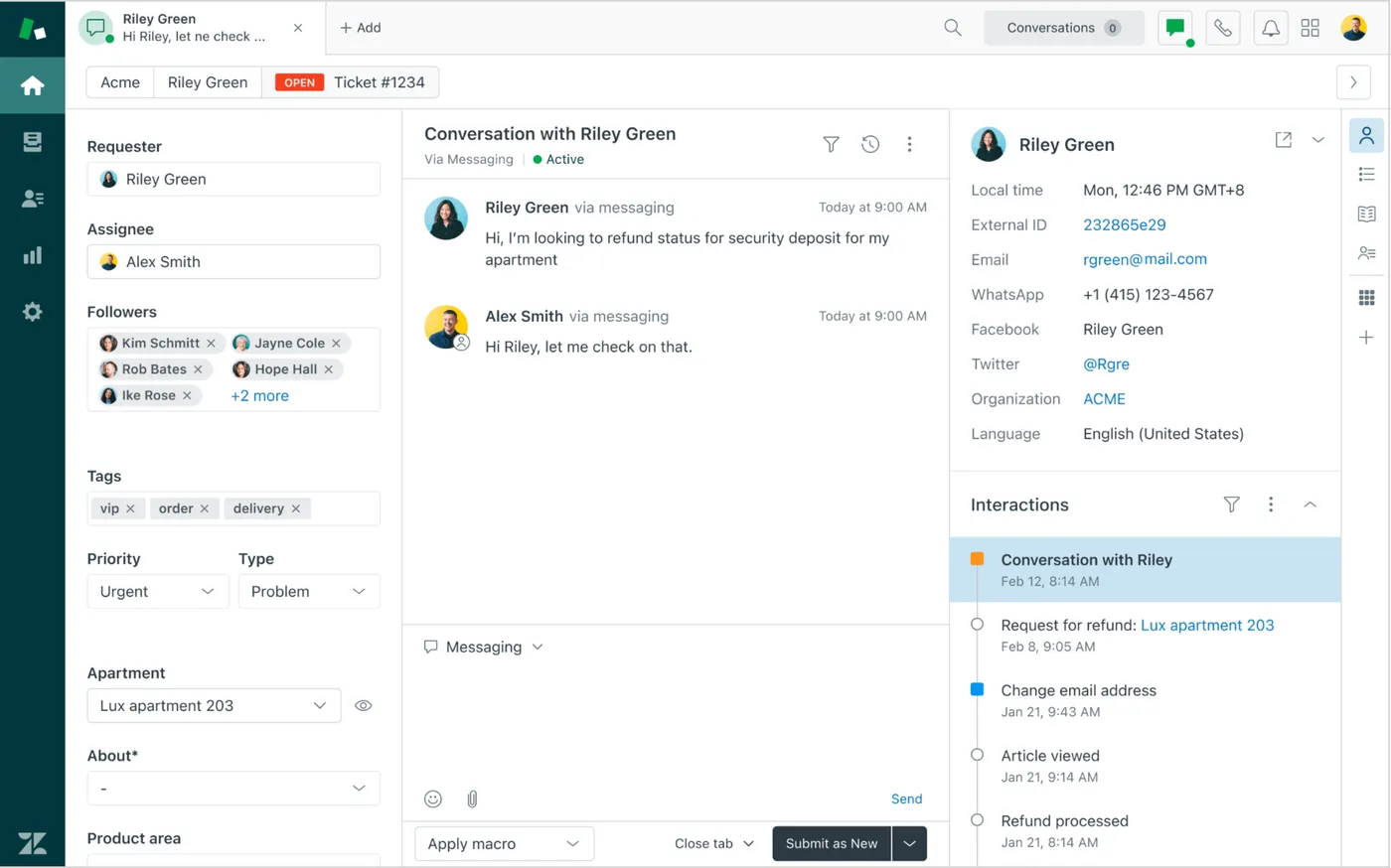
Best for teams already on Zendesk, or teams that need phone support next to chat.
What stands out:
- Every channel Zendesk supports, including voice, in one product.
- Mature routing, SLAs and reporting for when the team grows.
Pricing: Support Team is $19 per agent a month, Suite Team $55, Suite Professional $115, and Enterprise is custom. AI agents are billed per automated resolution on top of the seat price, and the Copilot add-on is $50 per agent a month. See Zendesk's pricing page.
Pros:
- The broadest channel coverage, phone included.
- Room to grow into a large support operation.
Cons:
- Seats, resolutions and Copilot can stack into the highest total on this list.
- Setup and admin take real time.
Verdict: right if you need Zendesk anyway. Wrong if you only want a website bot. The Zendesk alternative page shows the seat math.
7. Freshdesk Freddy AI Agent
Freddy AI Agent is Freshworks' bot for Freshdesk and Freshchat. It answers from your knowledge base and routes what it cannot solve to the right agent.
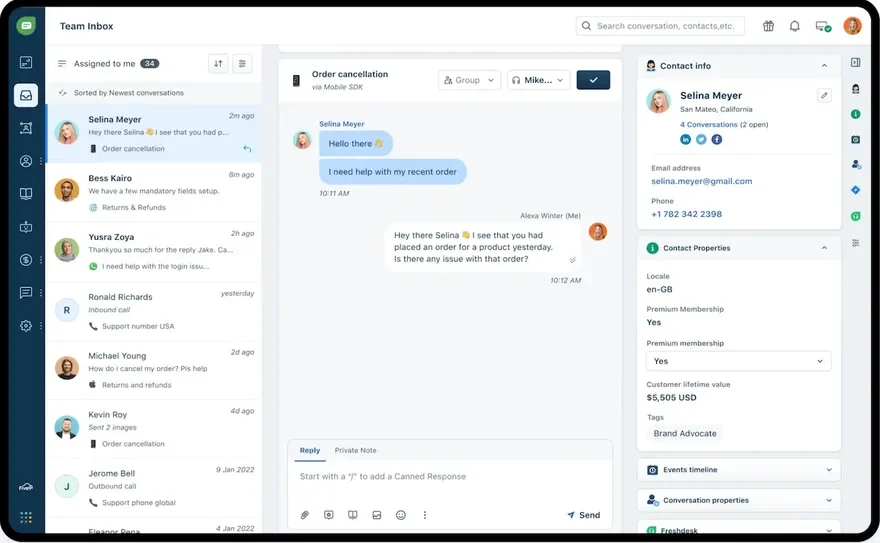
Best for teams already running Freshdesk who want AI without a second vendor.
What stands out:
- 500 free sessions to test it on real traffic.
- Copilot for agents, sold separately.
Pricing: 500 AI agent trial sessions once per account, then $49 per 100 sessions. Freddy AI Copilot is $29 per agent a month yearly. Freshdesk plans are Growth at $19, Pro at $55 and Enterprise at $89 per agent a month. See Freshdesk pricing.
Pros:
- A generous free trial allowance.
- Low entry seat price.
Cons:
- At $0.49 a session, 500 sessions a month is $245, whatever the bot resolves.
- Per-agent seats on top.
Verdict: sensible for current Freshdesk customers. Ask whether a session handed to a person still counts before you forecast.
8. Crisp
Crisp is a live chat and shared inbox tool for small teams, with AI features that draw on a pool of credits included in each paid plan.
Best for small teams that want a flat plan price and a small, fixed AI allowance to start with.
What stands out:
- Flat plan prices rather than per-seat ones.
- AI credits included, so there is no separate AI contract to sign.
Pricing: Free, then Mini at $45, Essentials at $95 and Plus at $295 a month, with $5, $25 and $75 of AI credits included. See Crisp's pricing page.
Pros:
- Predictable base price.
- One vendor for chat, inbox and AI.
Cons:
- $5 of credits on Mini runs out quickly on a busy site.
- What a credit buys depends on usage, which makes comparing hard.
Verdict: a reasonable middle ground. Watch credit use in the first month before you rely on the included amount.
Handoff to humans and guardrails
Test the moment a bot should stop before you test anything else. A wrong answer about refunds costs more than a slow one.
Ask every vendor, or test in a trial, how the tool handles these cases:
- A question your sources do not cover. The right answer is "I don't have that, let me get someone," never a guess.
- An angry customer or a refund demand. You should be able to send these straight to a person.
- A handoff after hours. The bot should collect an email and leave a conversation your team picks up in the morning.
- A topic you want off limits, such as legal or medical advice, pricing exceptions or competitor questions.
- A customer asking for a human on the first message. Forcing three bot turns first is how one bad chat becomes a public review.
Then check the agent's side: does the person taking over see the whole transcript, the pages the visitor viewed and what the bot already said? If not, the customer starts again from zero.
Estimating monthly AI cost for 500 chats
Here is a hypothetical small team: 500 website chats a month, three human agents, and an AI that resolves 40% of chats (200). The 40% is an assumption for the example, not a benchmark. Your rate depends on your questions and how good your help content is.
| Tool | AI cost | Platform or seats | Rough monthly total |
|---|---|---|---|
| Intercom Fin | 200 x $0.99 = $198 | 3 x $29 = $87 | About $285 |
| Help Scout AI Answers | 200 x $0.75 = $150 | 3 x $25 = $75 | About $225 |
| Gorgias AI Agent | 200 x $0.90 to $1.00 = $180 to $200 | Basic $60, plus any extra tickets | About $240 to $260+ |
| Freshdesk Freddy | 500 sessions = $245 (after the one-time trial) | 3 x $19 = $57 | About $302 |
| Zendesk AI agents | 200 x the contract rate | 3 x $55 = $165 | $165 plus resolutions |
| Tidio Lyro | Needs a tier above 50 conversations | Tidio plan from $24.17 | Ask Tidio for the 500 tier |
| Crisp | Included credits, then usage | Essentials $95 | $95 plus credits past $25 |
| Pick 1 (ours) | Included credits, then capped usage | Mini $20 (5 seats) | $20 plus AI past the credits, up to your cap |
Two things move these numbers more than the rate. First, a better bot raises per-resolution bills: at 60% resolution, Fin's AI line is $297. Second, per-session tools charge for all 500 chats no matter how many the bot solves. To run your own numbers, try the AI resolution cost calculator, and compare the result with what a human-handled chat costs you using the cost per ticket calculator.
How to pilot one safely
A pilot of three or four weeks tells you more than any list, including this one. Here is a plan that works with any of the eight:
- Export your last 100 chats and sort them by question. In most inboxes, a short list of questions comes back again and again.
- Make sure each of those questions has a short, current answer in your help center or on your site. The bot can only be as right as its sources.
- Train the bot and test it privately with 50 real questions from the export. Mark each answer right, wrong or handed off.
- Launch on a few pages, or after hours only, with a spending cap or a low tier.
- Read every AI conversation for the first two weeks. Fix the source behind each wrong answer, not the answer alone.
- After four weeks, compare cost per resolved chat with your human cost per chat, and decide.
If the bot gets more than one in ten test answers wrong in step 3, fix the content before launch. Shipping it anyway trains customers to skip the bot.
How to choose the best customer service chatbot for your team
Start with where your customers write and what your team already uses, then let pricing break the tie:
- Shopify store with order questions: Gorgias.
- Strong help center and budget for quality: Intercom Fin.
- Email-first team with Docs: Help Scout AI Answers.
- Already on Zendesk or Freshdesk: their own AI, to avoid a second vendor.
- Tiny shop, first experiment: Tidio Lyro.
- Website chat as the main channel, a fixed platform price and a cap on AI spend: our own pick 1, or Crisp for a similar flat-plan model.
If you are still choosing the help desk itself, the comparison hub lines up the platforms side by side.
FAQ
What is the best customer service chatbot for a small business?
It depends on your channel and platform. Gorgias for Shopify stores, Intercom Fin for answer quality, Help Scout for email-first teams, and a flat-priced tool with a spend cap when budget certainty matters most.
How much does an AI support chatbot cost per month?
In our hypothetical 500-chat example, the per-resolution and per-session tools land between about $225 and $300 a month including seats. Flat plans with included credits start lower, then add usage. Per-resolution rates on this list run from $0.75 to $0.99.
Is per-resolution pricing better than per-conversation pricing?
Per resolution is fairer when your bot hands off often, since you pay only for what it solves. Per conversation is cheaper per unit when the bot resolves most chats. Check how each vendor defines a resolution.
Can an AI chatbot replace a support agent?
Not for a small team. It can take repetitive questions such as hours, shipping and password resets, which frees people for the conversations that need judgment. Plan on a person reviewing its work every week.
How long does setup take?
Pointing a bot at an existing help center is the quick part. The slow part is writing the answers that are missing and testing with real questions, so plan for a couple of weeks of part-time work before launch.
Does the chatbot need a help center to work?
It needs written answers somewhere: help articles, website pages or uploaded documents. A bot with no sources has nothing true to say, so start with the dozen questions you get most.