 Missive$120 / month
- Seats5 × $24
- $120
- AI300 × $0 per AI conversation
- $0
Yearly rates, checked 2026-09-13.
 Missive vs Help Scout
What five seats cost on each, how the AI is billed, and which one fits your team.
 By Khalid Nouri, founder of SellioPrices checked on the dates shown below
Pick Missive if you want the team's chat and the customer's email in the same window. Pick Help Scout if email is your main channel and you want the calmest inbox your agents will ever use.
| Fact | Missive | Help Scout |
|---|---|---|
| Built around | Shared email with team chatone app for both | A calm email inboxBeacon adds chat |
| Entry plan | $14/user/moStarter: up to 5 users | $25/user/moStandard: 2 inboxes |
| Chat in the price | $14/user/molive chat widget on every plan | $25/user/moBeacon on every plan |
| AI agent | Your own key or creditsno per-conversation meter | $0.75 per resolutionAI Answers |
| Copilot for agents | Includedwith your AI key | IncludedAI inbox assistant |
| Free plan | None30-day trial | Yes5 users, 100 contacts a month |
Move the sliders to see the month on each.
Missive$120 / monthYearly rates, checked 2026-09-13.
Help Scout$350 / monthYearly rates, checked 2026-09-06.
 Sellio$30 / month
About $0.05 per AI reply past the credit, capped by you. Every plan
Everything else on this page follows from these.
MissiveAs an email or a message in a shared conversation that teammates chat about in the same thread. Help Scout has no ticket queue either.
Help ScoutAs a conversation in a shared inbox, assigned and tagged; it is email first, with Beacon chat beside it. Missive has no ticket queue either.
Missive$14 buys the inbox for up to five users on Starter; rules and integrations start on Productive at $24. $120 for five people, against $125 on Help Scout.
Help Scout$25 buys two inboxes on Standard. More inboxes are $10 a month each; Pro has a ten-user minimum. $125 for five people, against $120 on Missive.
MissiveAI runs on your own OpenAI, Anthropic or Gemini key, or on Missive credits; nothing is metered per conversation. Help Scout meters AI ($0.75 per resolution) above the seats instead.
Help ScoutAI Answers, the chatbot, is $0.75 per resolution. The AI inbox assistant is included. Missive folds AI (your own key or credits) into the plan instead.
MissiveEmail, live chat, SMS, WhatsApp, Instagram and Messenger; no Telegram. The same set as Help Scout.
Help ScoutEmail, Beacon chat, Messenger and SMS; no WhatsApp, Instagram or Telegram in the inbox. The same set as Missive.
MissiveTeam chat, tasks and calendars in the same app; native desktop apps. Help Scout is a shared inbox and help desk instead.
Help ScoutDocs, the knowledge base, and customer profiles with properties; no contact center or campaigns. Missive is a team inbox and chat instead.
MissiveAn hour: connect the mailboxes and install the desktop app. Help Scout is an afternoon.
Help ScoutAn afternoon: forward the support address, add Beacon, invite the team. Missive is an hour.
Sources: Missive pricing · Help Scout pricing. Each vendor’s own comparison of the other is linked so you can weigh both sides.
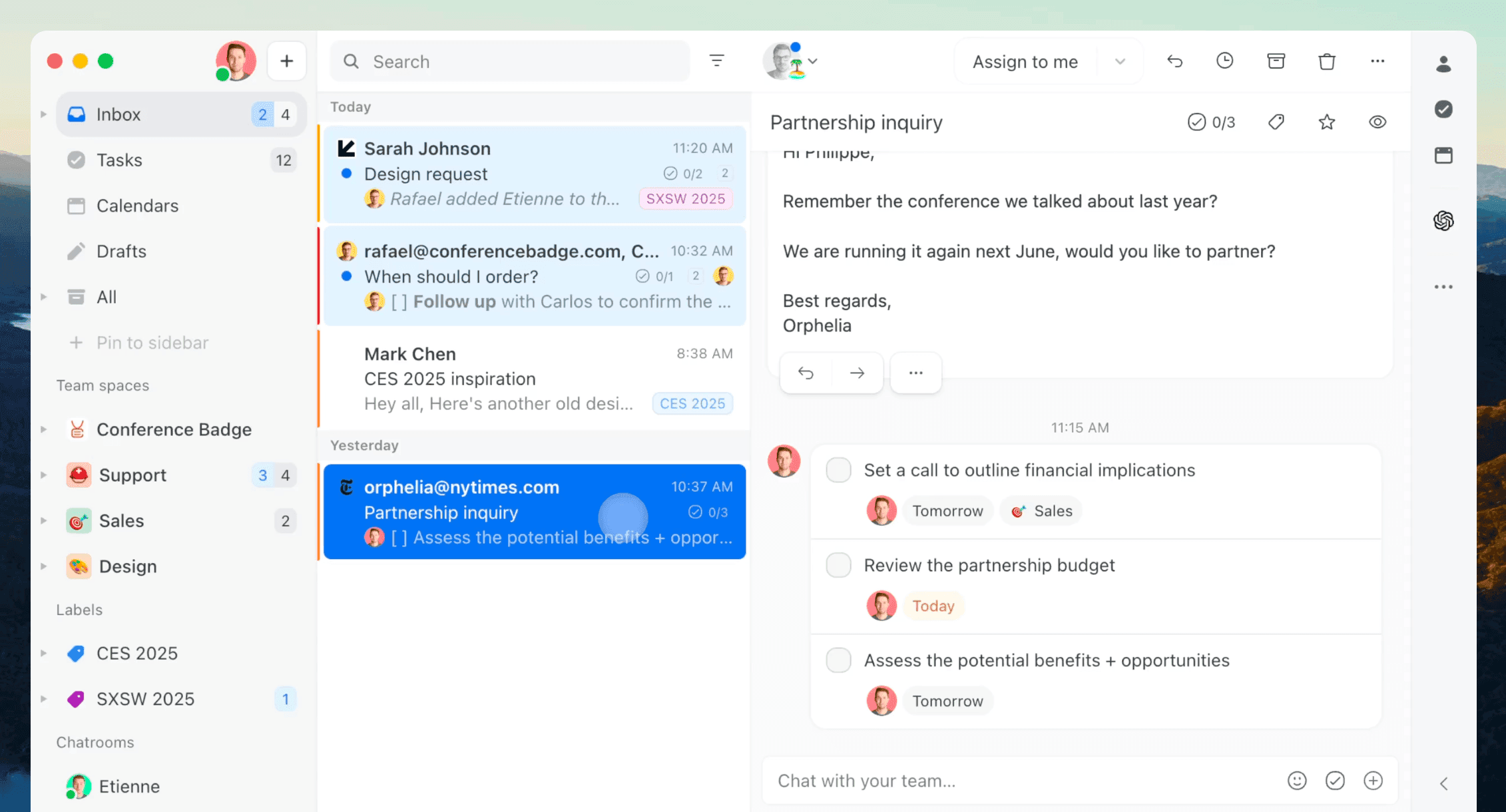
The Missive app: the shared conversation with the team's chat beside the email
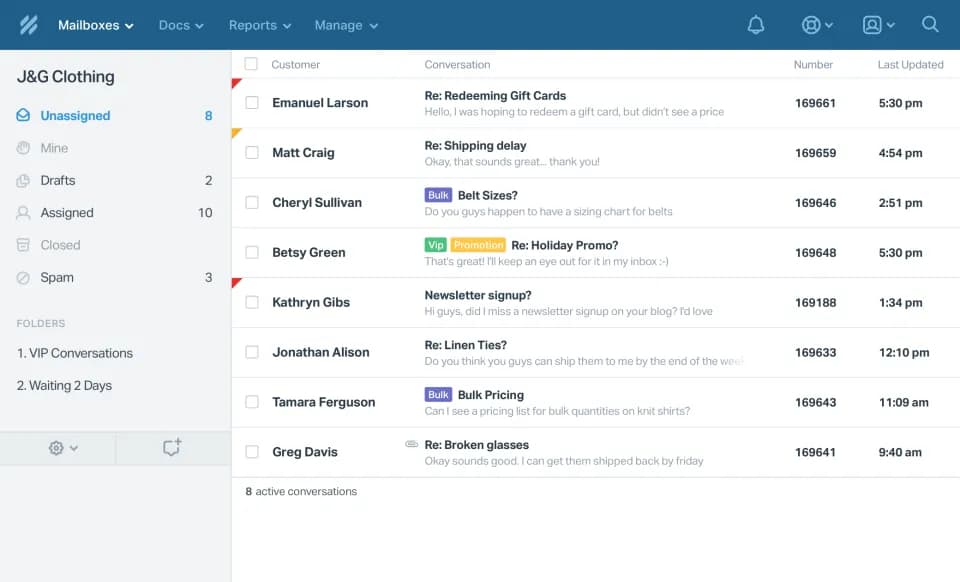
The Help Scout inbox: a conversation list, the email thread and the customer sidebar
Fifteen things a support team checks.
| Feature | MissiveMissive | Help ScoutHelp Scout | SellioSellio |
|---|---|---|---|
| Pricing | |||
| Pricing model | Per user; AI on your key | Per user; extra inboxes $10; AI per resolution. | Per workspace; seats and channels are plan limits |
| Free plan | None; 30-day trial | 5 users, 1 inbox, 100 contacts a month. | 2 seats, 1 channel, 1 AI agent, no trial clock |
| Channels | |||
| Website live chat | All plans | Beacon. | One script tag; guides for HTML, React, Next.js and more |
| Email in the inbox | All plans | The core of the product. | From Mini: forward your support address; reply from the thread |
| All plans | Included on paid plans. | From Mini: WhatsApp Business API, several agents on one number | |
| Instagram DMs | All plans | Included on paid plans. | From Mini: Instagram DMs beside web chat |
| Telegram | Not offered | Not a channel. | From Mini: paste a bot token; the webhook is set for you |
| Slack, Discord, Teams (two-way) | Team chat is built in | Slack notifications. | From Mini: two-way threads; a reply there reaches the customer |
| AI | |||
| AI agent trained on your docs | Drafts and rules with your key | AI Answers, trained on Docs. | Crawl your site, upload PDFs and FAQs; answers only from those |
| How AI is billed | Your own key or credits | $0.75 per resolution. | Metered from an included credit, with caps you set |
| AI hands off to a person | No autonomous agent | Hands to the inbox. | On low confidence, a keyword, or a teammate taking over |
| Support operations | |||
| Tickets | Conversations and tasks | Conversations with status; no separate ticket object. | From Essentials: raise from any chat; customer, back-office and tracker |
| Visual workflow automation | Rules on Productive and up | Workflows; rule lists with counts per plan. | From Mini: 11 triggers, 18 actions, no code |
| Analytics and CSAT | Productive and up | Reports and Happiness ratings. | From Essentials: response times, resolution, CSAT; topics and email reports on Essentials |
| Apps | |||
| Desktop app (Windows, macOS) | Windows and macOS apps | Browser and mobile apps. | Native Mac app; Windows coming soon |
IncludedPartly or extra costNot available
Pick Missive ifPick Help Scout ifThe third option: SellioMissive on Productive: $48, $120 and $240 a month for two, five and ten people, before AI. Help Scout on Standard: $50, $125 and $250 a month for two, five and ten people, before AI. Sellio: Free for two seats; Mini at $20 for five, $100 less than Missive and $105 less than Help Scout for five people; Essentials at $95 for ten, the AI credit included. At ten people, Essentials at $95 is $145 under Missive and $155 under Help Scout.
Missive is a team inbox and chat built around shared email with team chat; Help Scout is a shared inbox and help desk built around a calm email inbox. Only Help Scout has a free plan (5 users, 100 contacts a month); Missive offers a 30-day trial, no card. Missive and Help Scout both include website chat, email, WhatsApp and Instagram in the price. Neither Missive nor Help Scout includes Telegram outright. Missive folds AI (your own key or credits) into the plan; Help Scout meters AI ($0.75 per resolution) above the seats. Neither Missive nor Help Scout has a ticket queue, and only Missive ships desktop apps. Missive is an hour; Help Scout is an afternoon.
Missive: AI on your own key or Missive credits; no per-conversation price. Help Scout: AI Inbox assistant included; AI Answers (the chatbot) $0.75 per resolution. Beside Missive's your own key or credits and Help Scout's $0.75 per resolution, Sellio includes an AI credit with each paid plan. Usage consumes that credit; additional credits cost extra, and you can set a spending cap.
Missive is a team inbox and chat built around shared email with team chat; Help Scout is a shared inbox and help desk built around a calm email inbox. Neither Missive nor Help Scout has a ticket queue, and only Missive ships desktop apps.
Entry plan: Missive $14/user/mo (Starter: up to 5 users); Help Scout $25/user/mo (Standard: 2 inboxes). Chat in the price: Missive $14/user/mo (live chat widget on every plan); Help Scout $25/user/mo (Beacon on every plan). Sellio puts every channel in one inbox: Telegram, which neither Missive nor Help Scout has outright, plus the other channels, up to three on Mini.
Sellio's side of the Missive and Help Scout rows is on the shared inbox page.
Sellio puts website chat, WhatsApp, Instagram, Telegram and email in one inbox with tickets and an AI agent, for $20 to $295 a month per workspace.
No credit card required
